Project Management Software in 2026: Tools That Actually Do the Work
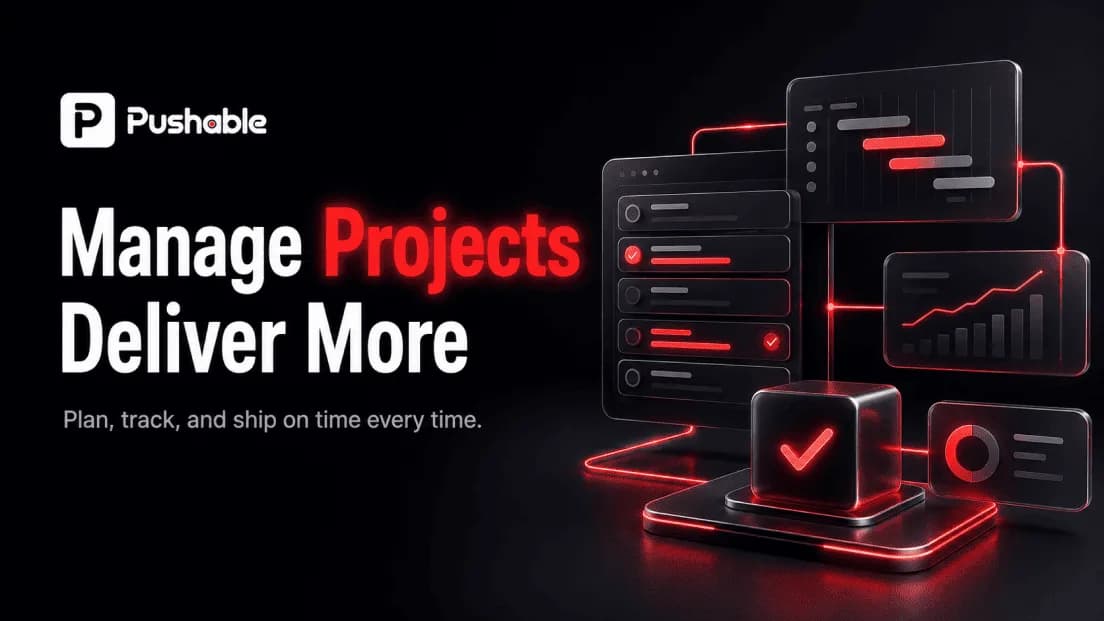
Project management software helps teams plan work, assign tasks, track progress, and hit deadlines in one shared place instead of scattered across email, spreadsheets, and chat threads. In 2026, the category has quietly split into two jobs: the software that tracks your work, and a newer layer of AI automation that actually does the routine work around it. This guide covers both - what to look for, the best project management tools available today, and where AI-driven automation is changing the equation.
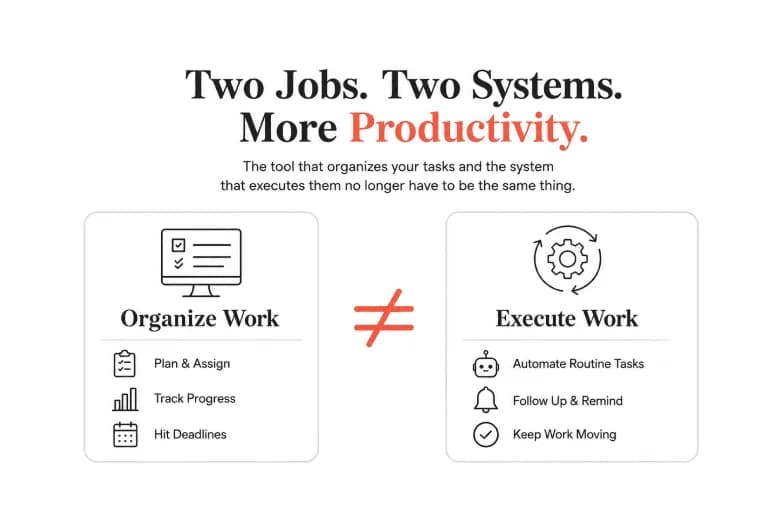
If you only remember one thing: the tool that organizes your tasks and the system that executes them no longer have to be the same thing. That distinction is where most of the productivity gains are hiding this year.
What is project management software?
Project management software is a platform that centralizes everything a team needs to deliver a project: tasks, timelines, owners, files, dependencies, and status updates. Instead of tracking who is doing what in a spreadsheet, teams get a single source of truth with views like boards, lists, calendars, and Gantt charts.
Good project management tools answer four everyday questions at a glance:
- What needs to happen? Tasks, subtasks, and deliverables
- Who owns it? Assignees, roles, and workload
- When is it due? Deadlines, milestones, and dependencies
- Where does it stand? Status, progress, and blockers
That is the foundation. The differences between platforms come down to how flexible the views are, how deep the automation goes, how well they integrate with the rest of your stack, and - increasingly - what their AI can actually do.
Project management software vs. project management tools - is there a difference?
In everyday use, the terms are interchangeable, and you'll see both in this guide. If you want to be precise:
- Project management software usually refers to a complete platform (monday, Asana, ClickUp) that runs your projects end to end.
- Project management tools is the broader umbrella - it can mean full platforms, but also point solutions like a Kanban board, a Gantt chart maker, a time tracker, or an AI automation layer that plugs into your main system.
Most teams end up with one core platform plus a handful of connected tools around it. Knowing the difference matters mostly when you're deciding whether you need another all-in-one platform or just a specialized tool to fill a gap.
Core features to look for in project management software
Before comparing brands, get clear on the features that separate a system your team actually adopts from one that becomes shelfware.
- Multiple task views - board (Kanban), list, calendar, timeline/Gantt, and workload views so different roles can work the way they think.
- Dependencies and milestones - the ability to link tasks and flag what's blocking what, not just a flat to-do list.
- Workflow automation - no-code rules that auto-assign tasks, move cards between stages, and send reminders so people stop doing manual busywork.
- Collaboration - comments, mentions, file attachments, approvals, and guest access for clients or contractors.
- Reporting and dashboards - real-time visibility into progress, capacity, and risk without building reports by hand.
- Integrations - native connections to the tools you already use (chat, email, docs, code repos, CRM). A strong integration ecosystem is often the deciding factor.
- Permissions and governance - role-based access, especially important as teams and data grow.
- AI assistance - the newest differentiator, covered in depth below.
A quick reality check on one common myth: more features is not the same as better. The best-fit tool is the one your team will actually keep open every day.
Types of project management tools
Not every team needs the same category. The main types of project management tools in 2026 are:
- All-in-one work platforms - flexible systems (monday, ClickUp, Asana) that adapt to marketing, ops, product, and more.
- Developer- and issue-focused tools - built for engineering workflows, sprints, and bug tracking (Jira, Linear).
- Lightweight Kanban tools - simple, visual, fast to adopt for small teams and personal use (Trello).
- Docs-plus-tasks hybrids - knowledge bases that double as project trackers (Notion).
- Open-source / self-hosted platforms - for teams that need full data control (OpenProject).
- AI automation layers - a newer category that doesn't replace your PM tool but executes work across it and your other apps (Pushable).
The last category is the one most buyers haven't fully priced in yet - so it's worth understanding before you commit to a stack.
The best project management software in 2026 (compared)
Here's an honest, high-level look at leading project management software options and who each one fits. Feature sets and pricing change frequently, so treat this as positioning guidance and verify current plans on each vendor's site before buying.
Tool | Best for | What stands out |
|---|---|---|
monday work management | Cross-functional teams that want a visual, configurable platform | Highly customizable boards and views, strong no-code automation |
ClickUp | Teams wanting an all-in-one hub | Tasks, docs, whiteboards, and goals with built-in AI in one place |
Asana | Task and workflow clarity across departments | Clean structure, mature workflow features, broad integrations |
Jira | Software and product teams | Deep sprint, backlog, and issue tracking for engineering |
Linear | Fast-moving product/engineering teams | Streamlined, keyboard-first issue tracking |
Trello | Small teams and personal projects | Simple, visual Kanban that's fast to adopt |
Wrike | Agencies and services teams | Approvals, proofing, and resource management |
Notion | Teams that live in docs | Flexible knowledge base that doubles as a tracker |
Pushable | Teams that want to automate work, not just track it | AI execution layer with 100+ integrations, agents, and human approval gates |
OpenProject | Teams needing self-hosting/data control | Open-source, on-premise option with classic PM features |
A pattern worth noting: nearly every vendor added "AI" to its 2026 pitch. Some shipped genuinely useful, AI-native workflows; many shipped a summarize-this button and called it done. When you evaluate AI features, judge them by whether the AI reads your real project data and produces output you'd actually ship - not by the length of the feature list.
The 2026 shift: from tracking work to doing the work
Here's the uncomfortable truth about even the best project management software: it's brilliant at recording work and largely passive about performing it.
Your board tells you a follow-up email is due. It doesn't send the email. Your tracker shows an invoice is overdue. It doesn't chase it. A task says "update the weekly report." Someone still has to open five tabs, copy numbers, and paste them in. Project management tools made work visible. They rarely made it disappear.
This is what we call the execution gap - the space between a task being tracked and a task being done. In 2026, that gap is where teams are losing the most time, because the tracking problem is largely solved and the doing problem mostly isn't.
The first wave of AI in project management chipped away at this: automated scheduling, predictive risk detection, plan generation from a prompt, and turning meeting notes into tasks. Useful - but most of it still lives inside one platform and still hands the real work back to a human. The next wave is different: AI agents that actually execute multi-step workflows across your tools, with a human approving the moments that matter.
Where AI automation fits: the execution layer
Think of your stack in two layers:
- The system of record - your project management software (Asana, Jira, Trello, Notion, Linear). This is where work is planned and tracked.
- The execution layer - an AI workspace that reads that context and runs the routine work across all your connected tools.
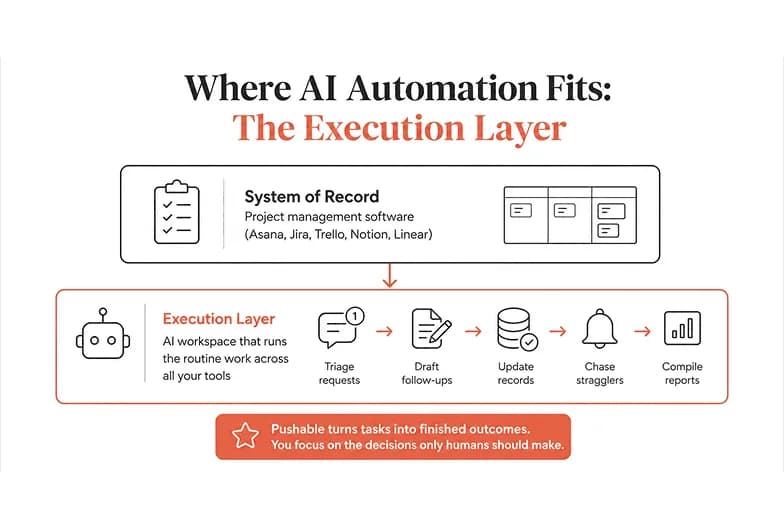
Keeping these separate is the shift. You don't need to rip out the PM tool your team already knows. You need something that turns its tasks into finished outcomes - triaging incoming requests, drafting the follow-ups, updating the records, chasing the stragglers, and compiling the reports - while your people focus on the decisions only humans should make.
That execution layer is exactly what Pushable is built to be.
How Pushable complements your project management tools
Pushable is a shared AI workspace where teams deploy AI agents that run workflows around the clock - with shared business context, approval gates, and one workspace the whole team controls. It's not another project management tool competing with your board; it's the automation layer that acts on it.
Here's why that matters for project management specifically:
- It connects to the tools you already run. Pushable offers 100+ native integrations, including Asana, Jira, Trello, Linear, Notion, Slack, Gmail, Google Sheets, and HubSpot - plus custom connectors. Your agents read and write to the systems your projects already live in.
- It closes the execution gap. Instead of a task reminding a human to act, a Pushable agent completes the step: qualify the inbound request, draft the reply, update the tracker, generate the weekly status, flag the anomaly. Work finishes itself.
- Humans stay in control. Approval gates pause an agent mid-task, and Telegram-based notify-and-approve flows let someone sign off in one tap before anything goes out. Automation stays safe enough for real business use.
- Agents run continuously. They work on schedules and triggers, not just when someone has a tab open - so status updates, follow-ups, and recurring reports happen on time, every time.
- You pay for results, not seats. Pushable uses a credit model: credits are spent when an agent actually completes a task, not per head. There's a free plan to start, so you can test agents against a real workflow before scaling. (See plans.)
A simple way to picture it: your project management software says what needs to happen and who owns it. Pushable handles the repetitive parts of making it happen - and pings a human when a real decision is needed.
You can explore use cases across sales, marketing, HR, finance, ops, and support to see where teams point their agents first.
How to choose the right project management software
Use this quick framework to narrow the field without a month of demos:
- Start with your workflow, not the feature list. Map how work actually moves through your team today. Pick the tool that fits that motion with the least reconfiguration.
- Weight integrations heavily. The tool that connects cleanly to your chat, email, docs, and code will beat a "more powerful" tool that lives on an island.
- Interrogate the AI claims. Ask whether the AI reads your real data and produces shippable output, or just summarizes. Check how AI is billed - many vendors charge for AI separately, and credit models can spike as you scale.
- Check migration effort. If you're moving from Asana or Jira, find out how fast you can import projects and get value, not weeks of setup.
- Separate tracking from execution. Decide what your PM tool should track versus what an AI automation layer should do. Pairing a solid tracker with an execution layer like Pushable often beats forcing one tool to do everything.
- Pilot before you commit. Run a real workflow through a free plan for two weeks before rolling anything out team-wide.
The bottom line
Choosing project management software in 2026 is no longer just about which board looks nicest. The tracking problem is largely solved; the doing problem is where teams still bleed hours. Pick a solid tool that fits how your team works - then add an execution layer that turns tracked tasks into finished outcomes.
That's the case for pairing your favorite project management tools with an AI workspace built for execution. If you're ready to close the gap between tracking work and actually doing it, start free on Pushable and point an agent at the workflow that's eating your week.