The 11 Best Task Management Tools in 2026 (And the AI Shift Beyond Them)
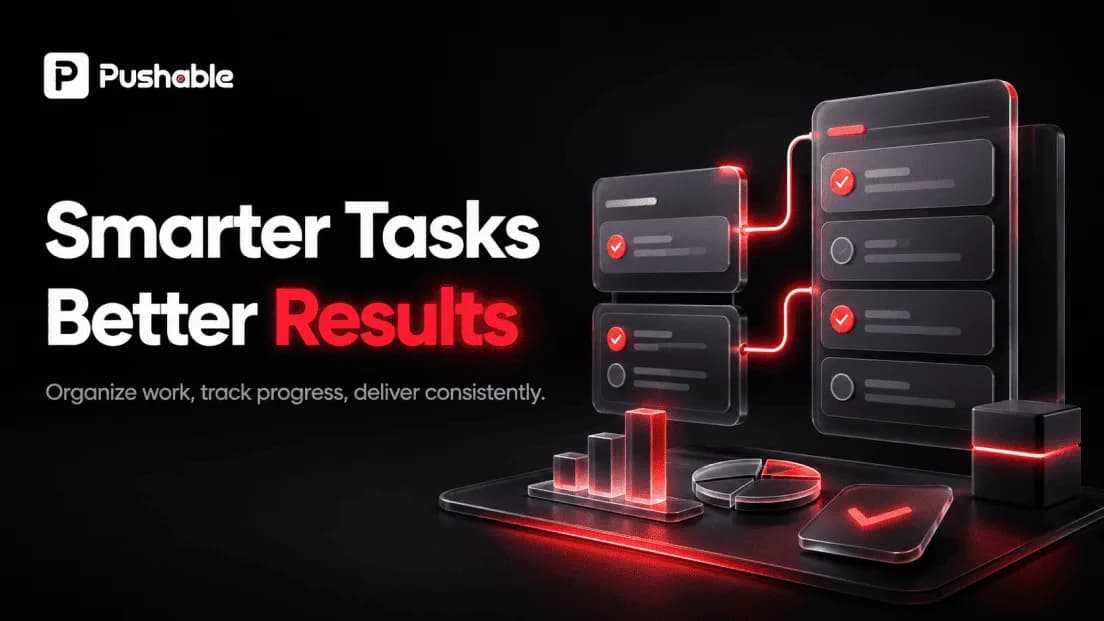
Task management tools help you capture, organize, prioritize, and track work so nothing slips through the cracks. In 2026, the best task management tools do more than hold a to-do list - they coordinate teams, sync with the rest of your software stack, and increasingly hand routine work to AI. This guide breaks down what task management tools actually do, compares the leading options, and explains the biggest shift happening right now: the move from tools that track tasks to systems that complete them.
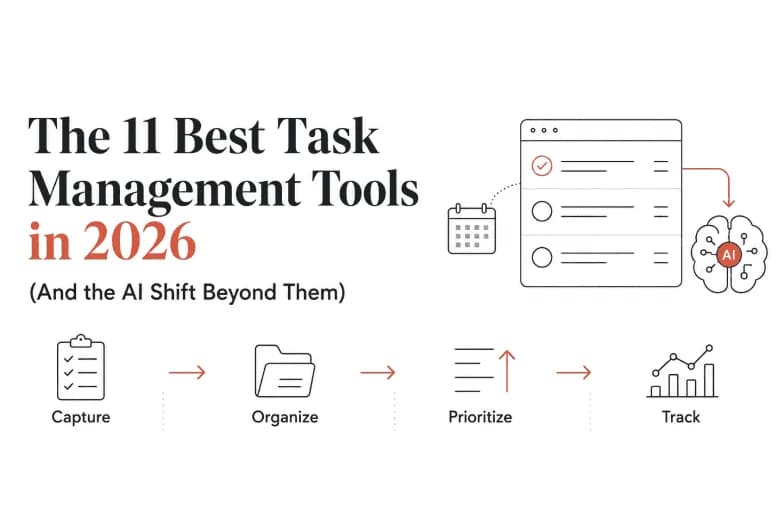
If you only take one thing away: a task management tool tells you what needs doing; an AI agent can do a growing share of it for you. We'll cover both, and where a platform like Pushable fits.
What are task management tools?
Task management tools are software applications that let individuals and teams create tasks, assign owners, set due dates and priorities, track progress, and see everything in one place. They sit at the center of how modern teams get work done - replacing scattered sticky notes, buried email threads, and half-remembered verbal requests with a single source of truth.
Most task management software shares a common set of building blocks:
- Tasks and subtasks - discrete units of work you can check off
- Assignees and due dates - clear ownership and deadlines
- Statuses and stages - for example, To Do, In Progress, Done
- Views - lists, boards (Kanban), calendars, timelines, and Gantt charts
- Priorities, labels, and tags - so the important work rises to the top
- Comments and attachments - context that lives with the task
- Notifications and reminders - so nothing gets forgotten
The goal is simple: make work visible, make ownership clear, and reduce the mental overhead of remembering everything yourself.
Task management vs. project management
The terms overlap, but they're not identical. Task management focuses on individual units of work - a single deliverable, a checklist item, a follow-up. Project management wraps many tasks into a larger initiative with milestones, dependencies, budgets, and timelines. Many of the tools below do both, but lightweight task managers (like Todoist) lean toward personal productivity, while heavier platforms (like Asana or ClickUp) scale into full project management.
Why the right task management tool matters
Poor task tracking is expensive. Work gets duplicated, deadlines slip, and status updates eat hours that could go to real work. A well-chosen task management tool delivers a few concrete benefits:
- Fewer dropped balls. Everything has an owner and a due date.
- Less status-meeting overhead. Anyone can see progress without asking.
- Better prioritization. Clear labels and priorities keep teams focused on what matters.
- Shared context. Files, decisions, and discussion live next to the task, not in someone's inbox.
- Scalability. As teams grow, structure prevents chaos.
But there's a ceiling to what traditional task management tools can do - and we'll get to that. First, the tools worth knowing.
The best task management tools in 2026
Below are the most widely used task management tools, what each does best, and who they suit. Pricing models change often, so we describe tiers qualitatively - check each vendor's current pricing page before you commit.
1. Asana
A polished, flexible platform that scales from simple task lists to complex cross-functional projects. Asana is known for its clean interface, multiple views (list, board, timeline, calendar), and strong workflow automation. It's a solid choice for mid-sized and larger teams that need structure without a steep learning curve. Offers a free tier and paid plans that unlock timelines, reporting, and automation.
Best for: growing teams that want polish and flexibility.
2. Trello
Built around the Kanban board, Trello is the friendliest on-ramp to task management. Cards move across columns as work progresses, and "Power-Ups" extend functionality. It's ideal for individuals and small teams who value simplicity over depth. Generous free plan; paid tiers add automation and larger boards.
Best for: visual thinkers and small teams that want zero friction.
3. Monday.com
A highly visual "work OS" with colorful, customizable boards. Monday.com is strong on dashboards, automations, and adapting to non-technical teams across marketing, sales, and operations. It can do a lot, which also means it takes some setup. Paid plans scale by seat and feature depth.
Best for: cross-department teams that want a configurable, visual hub.
4. ClickUp
The "everything app" of task management. ClickUp packs an enormous feature set - docs, goals, whiteboards, time tracking, and countless views - into one platform. Powerful for teams that want to consolidate tools, though the density can overwhelm newcomers. Free plan available; paid tiers unlock advanced features.
Best for: power users who want maximum functionality in one place.
5. Todoist
A fast, elegant personal task manager that also works for small teams. Todoist shines at quick capture, natural-language due dates ("every Monday at 9am"), and cross-device syncing. It's less about heavy project management and more about getting things out of your head and done. Affordable Pro tier; capable free plan.
Best for: individuals and productivity enthusiasts.
6. Microsoft Planner (and To Do)
Microsoft's task management lives inside the Microsoft 365 ecosystem. Planner offers team boards and buckets, while To Do handles personal lists - and both connect to Teams, Outlook, and the wider 365 suite. If your organization already runs on Microsoft, it's the path of least resistance. Included with many Microsoft 365 plans.
Best for: organizations standardized on Microsoft 365.
7. Notion
Not a dedicated task manager, but a flexible workspace where many teams build their own task systems using databases, boards, and linked pages. Notion excels when you want tasks to live alongside docs and knowledge. It requires more setup than a purpose-built tool. Free personal plan; paid team tiers.
Best for: teams that want tasks and documentation unified.
8. Jira
The default for software development teams. Jira is built around agile workflows - sprints, backlogs, story points, and issue tracking - with deep customization. It's overkill for simple to-do lists but indispensable for engineering. Free tier for small teams; scales up for enterprise.
Best for: software and product teams running agile.
9. Wrike
A robust option for larger teams and agencies that need resource management, approvals, and detailed reporting alongside task tracking. More structured than lightweight tools, with a corresponding learning curve.
Best for: agencies and operations-heavy teams.
10. Smartsheet
A spreadsheet-like interface for teams that think in rows and columns but need automation, dependencies, and collaboration on top. Popular in operations, construction, and project-heavy industries.
Best for: teams that live in spreadsheets but need more power.
11. Pushable - the AI-native execution layer
Every tool above helps you organize and track tasks. Pushable is different in kind: it's a shared AI workspace where AI agents actually complete tasks - qualifying leads, drafting replies, reconciling invoices, pulling reports - running around the clock with human approval gates. More on this below, because it represents where the category is heading.
Best for: teams that want to automate the routine work their task manager only tracks.
Task management tools compared
Tool | Best for | Standout strength | Built-in AI doing work? |
|---|---|---|---|
Asana | Growing teams | Flexible views + workflows | Limited (assistive) |
Trello | Small teams | Simple Kanban boards | Limited |
Monday.com | Cross-department | Visual, configurable boards | Limited (assistive) |
ClickUp | Power users | All-in-one feature set | Limited (assistive) |
Todoist | Individuals | Fast personal capture | Limited |
MS Planner | Microsoft shops | 365 integration | Limited |
Notion | Docs + tasks | Unified workspace | Assistive writing |
Jira | Dev teams | Agile workflows | Limited |
Pushable | Automating routine work | AI agents that execute tasks | Yes - core to the platform |
The pattern is clear. Traditional task management tools have added AI assistants that summarize, suggest, or draft. But the work itself still lands back on a human. That's the gap the next section is about.
The limitation every task management tool shares
Here's the honest truth about task management software, no matter how good: it manages tasks; it doesn't do them.
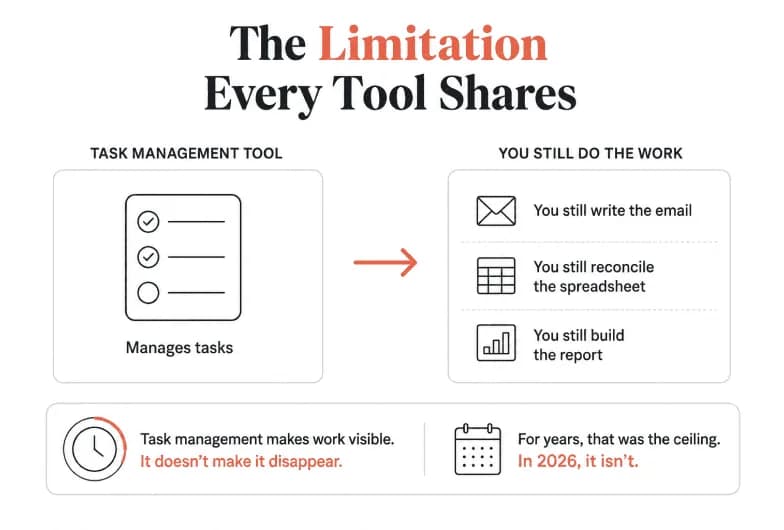
Your task manager can remind you to follow up with a lead - but you still write the email. It can create a card for "reconcile this month's invoices" - but you still open the spreadsheet and reconcile. It can assign "prepare the weekly report" - but someone still pulls the data and builds the deck.
Studies of knowledge work consistently find that a large share of the workday goes to repetitive, low-judgment tasks: data entry, status updates, copying information between systems, routine follow-ups, and manual reporting. A task management tool makes that work visible and organized. It doesn't make it disappear.
For years, that was the ceiling. In 2026, it isn't.
The shift: from managing tasks to executing them
The biggest change in the task management landscape isn't a new board view or a nicer calendar. It's AI agents - software that can carry out multi-step tasks on your behalf, using your real business tools, and check back with a human before doing anything consequential.
Instead of a tool that says "this task is due," you get a system that says "I handled this task; here's what I did - approve?"
This is the difference between:
- A to-do list that reminds you to qualify a new lead, versus an agent that enriches the lead, scores it, routes it to the right rep, and drafts the first follow-up automatically.
- A card labeled "send the weekly report," versus an agent that pulls the numbers, assembles the report, and posts it to Slack every Friday.
- A reminder to chase an overdue invoice, versus an agent that matches the invoice, drafts the reminder, and waits for your one-tap approval.
Task management tools organized the what. AI agents are starting to handle the how.
Pushable: task management that actually gets done
Pushable is a shared AI workspace built for teams - an execution layer that sits on top of the tools you already use and completes routine work for you. Where a classic task management tool tracks a task, Pushable deploys an AI agent to finish it.
A few things make Pushable distinct from both traditional task managers and single-user AI chatbots:
Built for the whole team, not one person
Most AI tools are optimized for individual users. Pushable is team-native: shared memory, files, databases, and permissions all live in one workspace. Every agent is grounded in your actual business context instead of starting from a blank chat, so the whole team works from the same source of truth.
AI agents that run around the clock
Pushable agents are cloud-native and always on. They run continuously on schedules and event triggers - a new lead arrives, a form is filled, an invoice lands - even when no one has the app open. Your routine work keeps moving after hours.
Human-in-the-loop by design
Automation is only useful if it's safe. Pushable uses approval gates: every action that matters pauses for a human decision. Your team gets notified on Telegram and approves in a single tap, from a laptop or a phone. The agent does the work; you stay in control of what actually ships.
100+ integrations, no code required
Pushable connects to 100+ tools in one click - Gmail, Slack, HubSpot, Notion, Asana, Jira, Trello, Google Sheets, Salesforce, Stripe, Shopify, and more - plus custom MCP connectors. Agents read and write to your CRM, inbox, spreadsheets, and databases, so they act on the systems your team already runs on. There's a no-code agent builder, so you don't need engineers to get started.
One workspace, every department
Pushable finds the routine work worth automating across teams:
- Sales: qualify inbound leads, enrich them, route to the right rep, draft first-touch follow-ups.
- Marketing: schedule campaigns, draft content, monitor brand mentions, pull weekly reports.
- HR: onboard new hires end-to-end, route PTO requests, prep performance reviews.
- Finance: reconcile invoices, chase overdue payments, generate monthly reports, flag anomalies.
- Operations: vendor onboarding, procurement workflows, inventory updates, recurring reports.
- Customer support: triage tickets, draft replies, escalate stuck issues, update knowledge base articles.
Pay for results, not seats
Pushable's pricing is credit-based: credits are only spent when an agent actually completes a task - a message sent, a report filed, a workflow triggered. There are no per-seat fees, so the bill doesn't grow just because your headcount does. Plans start with a free tier (200 credits/month), scale through Starter and Pro, and reach a custom Enterprise tier with unlimited credits, SSO, and SLAs. You can start free and scale as you grow.
The short version: Keep your task management tool for planning and visibility. Add Pushable to actually execute the routine tasks it surfaces - with your team in control.
How to choose the right task management tool
The best task management tool is the one your team will actually use. Work through these questions before deciding:
- Who's using it? A solo professional needs something like Todoist; a 200-person company needs Asana, ClickUp, or Monday.com.
- How complex is your work? Simple checklists suit lightweight tools; dependencies and milestones call for full project management.
- What do you already use? If you live in Microsoft 365, Planner is the natural fit. If your team runs on many SaaS tools, prioritize integrations.
- How much structure do you want? Some teams thrive on rigid workflows; others need flexibility. Match the tool's opinion to your culture.
- What's your budget? Compare free tiers honestly, then price the paid plan you'd actually need at your team size.
- How much of the work can be automated? This is the new question for 2026. Once your tasks are organized, ask which are repetitive enough to hand to an AI agent.
That last question is where most teams leave value on the table. A great task management tool plus an execution layer like Pushable often beats squeezing more features out of any single tool.
How to add AI to your task management workflow
You don't have to rip out your current setup to get the benefits of AI agents. A practical rollout looks like this:
- Keep your system of record. Your task management tool stays the place where work is planned and tracked.
- Audit your routine tasks. List the repetitive, rules-based work your team does weekly - reporting, follow-ups, data entry, reconciliations.
- Start with one workflow. Pick a single high-frequency task and hand it to an agent. Weekly reporting and lead follow-up are common first wins.
- Keep humans in the loop. Use approval gates so a person signs off before anything consequential happens. Build trust before you widen scope.
- Expand by results. As agents prove reliable, add more workflows across departments.
Because Pushable connects to tools like Asana, Jira, Trello, and Google Sheets, agents can act directly inside the task management tools you already use - updating tasks, closing cards, and posting results where your team already looks.
The bottom line
Task management tools are essential for any team that wants to stay organized, hit deadlines, and keep work visible. Asana, Trello, Monday.com, ClickUp, Todoist, Microsoft Planner, Notion, and Jira each earn their place depending on your size, stack, and workflow.
But in 2026, organizing tasks is table stakes. The teams pulling ahead are the ones automating the routine work their task manager only surfaces - moving from tools that track tasks to systems that complete them, with humans firmly in control.
That's exactly what Pushable is built for. Keep the task management tool you love. Add a shared AI workspace that finishes the busywork. Start free and let your team focus on the work that actually needs a human.
This guide was produced by the Pushable team. Product features and pricing referenced for third-party tools are described qualitatively and change frequently - verify current details on each vendor's website before purchasing.