The 15 Best Productivity Apps in 2026, Ranked by What They Actually Do
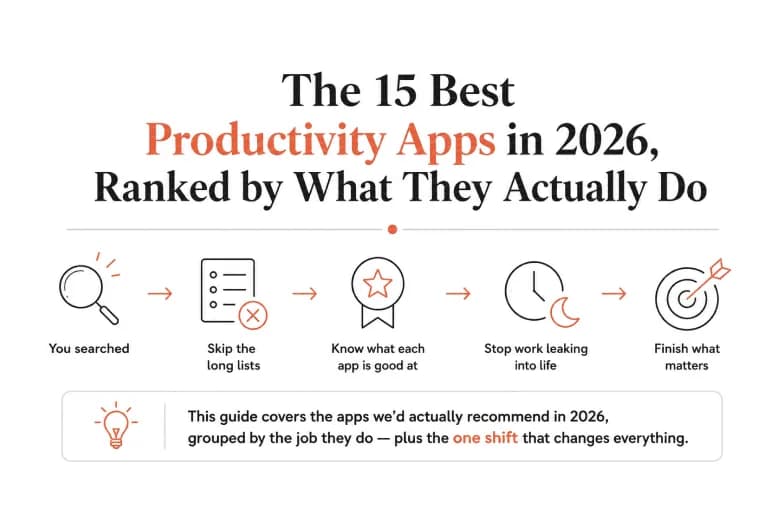
If you searched for the best productivity apps, you probably don't want another list of 40 tools that all sound the same. You want to know which apps are worth installing, what each one is genuinely good at, and how to stop your workday leaking into evenings and weekends. This guide covers exactly that - the productivity apps we'd actually recommend in 2026, grouped by the job they do, plus the one shift that separates people who feel busy from people who finish.
Here's the short version: most productivity apps help you organize work. A smaller, newer category helps you automate it. The best setups in 2026 use both. We'll walk through the standout organizing apps first, then show where AI automation - including our own platform, Pushable - picks up the work your to-do list can't.
How we evaluated these apps
We judged every app against four practical criteria, not marketing claims:
- Does it reduce friction? Great tools disappear into your day. If capturing a task takes ten taps, you won't use it.
- Does it play well with others? An app that traps your data is a liability. The best productivity apps sync, export, and integrate.
- Does it earn its place? Every app you add is another notification source. Each one has to pull its weight.
- Does it scale from you to your team? Solo habits break the moment two people need shared context.
A quick, honest disclaimer: scores and "best for" labels here are our editorial assessment based on hands-on evaluation and how these tools are used in real workflows. They're guidance, not gospel - your ideal stack depends on how you work.
Quick comparison: the best productivity apps at a glance
App | Best for | Category | Free plan |
|---|---|---|---|
Todoist | Fast, no-fuss task capture | Tasks | Yes |
Notion | All-in-one workspace & notes | Docs / wiki | Yes |
ClickUp | Deep project management | Projects | Yes |
Trello | Visual Kanban boards | Projects | Yes |
Asana | Team task coordination | Projects | Yes |
Google Calendar | Scheduling & time-blocking | Calendar | Yes |
Sunsama | Daily planning & intention | Planning | Trial |
Toggl Track | Automatic time tracking | Time | Yes |
Freedom | Blocking distractions | Focus | Trial |
Obsidian | Linked knowledge & notes | Notes | Yes |
Slack | Team communication | Comms | Yes |
Raycast | Launcher & quick actions | Utility | Yes |
1Password | Secure logins & autofill | Utility | Trial |
Grammarly | Writing polish | Writing | Yes |
Pushable | Automating the work across all of the above | AI automation | Yes |
Task and project management apps
This is the core of most people's productivity stack - the apps that hold your commitments so your brain doesn't have to.
Todoist - best for fast, frictionless task capture
Todoist remains the gold standard for people who just want a reliable place to dump tasks and trust that nothing falls through. Its natural-language input ("email Sam Friday 9am") turns a sentence into a scheduled, recurring task in one line. It stays fast and uncluttered even as your list grows, which is exactly why it beats heavier tools for pure task management. If you want one app that never gets in your way, start here.
Notion - best all-in-one workspace
Notion is the closest thing to a single home for everything: notes, docs, wikis, lightweight databases, and project trackers. Its strength is flexibility - you can shape it into a personal dashboard or a company knowledge base. That same flexibility is its weakness for some people, because a blank Notion page can be paralyzing. If you want fewer tools and one central hub, Notion is hard to beat.
ClickUp - best for power users who want everything configurable
ClickUp packs tasks, docs, goals, dashboards, and time tracking into one dense platform. It's built for teams that want to run their entire operation in a single tool and are willing to invest setup time to get there. Casual users may find it overwhelming; operations leads often love it.
Trello - best for visual, card-based work
Trello's Kanban boards make work visible. Drag a card from "To Do" to "Doing" to "Done" and you get an instant read on where things stand. It's the friendliest project tool for beginners and small teams, and it scales further than people expect with automation and power-ups.
Asana - best for coordinating team tasks
Asana shines when several people need to see who owns what and by when. Its timeline and workload views keep projects from turning into a mess of overlapping deadlines. It's a strong middle ground between Trello's simplicity and ClickUp's density.
Calendar, planning, and time apps
Task lists tell you what. Calendars and planners tell you when - and protect the time to actually do it.
Google Calendar - best for scheduling and time-blocking
Still the default for good reason. Google Calendar's real superpower is time-blocking: reserving chunks of your day for focused work instead of letting meetings colonize every hour. Layer multiple calendars, share availability, and it becomes the backbone of a realistic schedule.
Sunsama - best for intentional daily planning
Sunsama slows you down in a good way. Each morning it walks you through planning your day, pulling tasks from your other tools and asking you to commit to a realistic amount. For people who chronically overload their to-do list, that daily reckoning is genuinely transformative.
Toggl Track - best for understanding where time goes
You can't fix what you don't measure. Toggl Track makes time tracking painless, and the reports reveal uncomfortable truths - like how much of your week evaporates into "quick" meetings. Even a two-week audit changes how you plan.
Focus and deep-work apps
Freedom - best for blocking distractions
Freedom blocks distracting sites and apps across all your devices at once, so switching to your phone doesn't become an escape hatch. Scheduled sessions and recurring "focus blocks" make deep work a default rather than an act of willpower.
Obsidian - best for building a personal knowledge base
Obsidian stores notes as plain files you own, then lets you link them into a web of connected ideas. Writers, researchers, and anyone doing serious thinking over months tend to find it sticky in a way that cloud note apps aren't.
Utility and communication apps that quietly save hours
- Slack keeps team conversation out of your inbox and searchable - as long as you tame notifications.
- Raycast turns a keyboard shortcut into a launcher for apps, snippets, calculations, and quick actions, shaving seconds off tasks you do hundreds of times a day.
- 1Password removes the daily friction (and risk) of passwords with instant autofill across devices.
- Grammarly cleans up writing in real time, so email and docs go out polished without a manual proofread.
None of these will headline a productivity article, but stacked together they remove dozens of tiny frictions - and tiny frictions are what actually drain a day.
The best apps for productivity tips and building better habits
A tool can only help if you use it well. If you're specifically after the best apps for productivity tips - apps that coach the behavior, not just hold the data - these are the ones to look at:
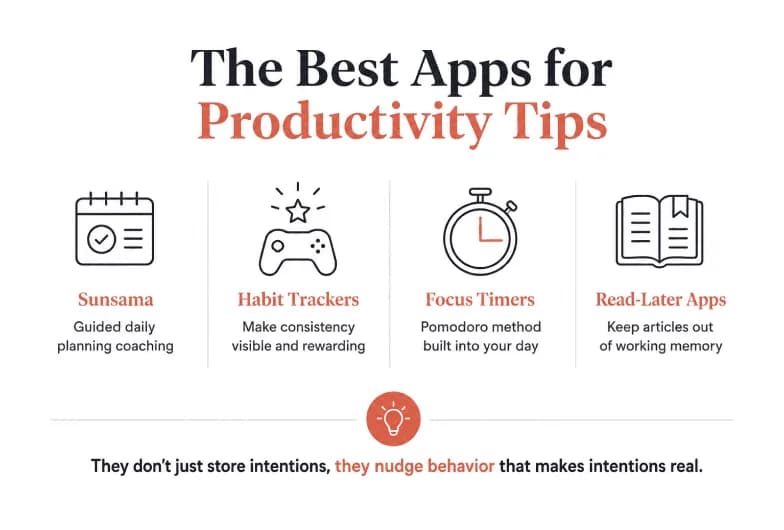
- Sunsama doubles as a coach: its guided daily planning ritual is a productivity tip built into the workflow.
- Habit trackers like Streaks or Habitica turn consistency into a game, which is one of the most reliable productivity tips there is - make the behavior visible and rewarding.
- Focus timers built on the Pomodoro technique (many are built into Todoist and Toggl) bake a proven productivity method directly into your day.
- Read-later apps like Readwise keep articles and highlights from cluttering your working memory.
The best apps for productivity tips share one trait: they don't just store your intentions, they nudge the behavior that makes intentions real. But even the best habit - perfectly executed - runs into the same ceiling. That ceiling is the reason for this next section.
The 2026 shift: from apps that organize work to systems that do it
Here's the uncomfortable truth about every app above. They are all, ultimately, containers for work you still have to do yourself. Todoist remembers the task. Notion stores the doc. Google Calendar protects the hour. But you still write the follow-up, update the spreadsheet, chase the invoice, and copy data from one tool into another.
For years, "productivity" meant getting better at doing manual work faster. In 2026, the real leverage has moved somewhere else: getting work done without doing it manually at all. The best productivity apps are increasingly the ones that don't just remind you - they execute.
This is where AI automation changes the equation, and where a shared AI workspace like Pushable does something a to-do list fundamentally can't.
Why Pushable is the productivity layer above your apps
Most AI tools today are chat assistants built for one person: you type, you get a reply, and the moment you close the tab, nothing keeps running. Pushable is built differently. It's a shared AI workspace where your team deploys AI agents that actually run workflows - with connected business context, approval gates, and one workspace the whole team controls.
Instead of managing work in a dozen apps, you hand the repetitive parts to agents that act across those apps for you:
- It connects to the tools you already use. Pushable ships with 100+ native integrations - Gmail, Slack, Notion, HubSpot, Google Sheets, Asana, Trello, Stripe, and more - so agents can read and write to the systems your work already lives in.
- Agents run around the clock, not just when you're online. Because it's cloud-native, workflows fire on schedules and triggers even when no one has the app open. A lead comes in at 2am; the agent enriches it, routes it, and drafts a first-touch reply by morning.
- Humans stay in control. Approval gates pause an agent mid-task and ping you on Telegram to approve or reject in one tap. Automation stays safe enough for real business use - no rogue actions.
- Context is shared, not siloed. Your knowledge base, files, and data live in one workspace, so every agent is grounded in your actual business - not starting from a blank chat each time.
That's the difference between a productivity app and a productivity engine. Todoist tells you to send the weekly report. Pushable pulls the numbers, drafts the report, waits for your one-tap approval, and sends it - every week, without being asked.
A concrete example
Say your Monday routine is: pull last week's sales numbers from a spreadsheet, summarize them, post the summary in Slack, and create follow-up tasks in Asana for anything off-track. In a traditional stack, that's four apps and 30 minutes of manual copying. On Pushable, it's a single agent that runs every Monday at 8am, drafts the summary, holds it for your approval on Telegram, and - once you tap approve - posts to Slack and files the Asana tasks itself. You went from doing the workflow to supervising it.
And because Pushable charges credits only when an agent actually completes a task - with a free plan to start - you're not paying a per-seat fee for software that sits idle. You pay for results, not for logins.
The honest framing: Pushable doesn't replace Todoist, Notion, or your calendar. It sits on top of them. Keep the apps you love for planning and thinking - then let agents handle the repetitive execution that connects them.
Building your 2026 productivity stack
You don't need all 15 apps. A strong, realistic setup looks like this:
- One task app - Todoist for capture.
- One workspace - Notion for notes, docs, and projects.
- One calendar - Google Calendar for time-blocking.
- One focus tool - Freedom to protect deep work.
- One automation layer - Pushable to execute the repetitive workflows across all of the above.
The first four keep you organized. The fifth is what turns organization into output. That's the combination we'd recommend to anyone serious about doing more without simply working longer.
The bottom line
The best productivity apps in 2026 fall into two groups. The classics - Todoist, Notion, Google Calendar, Trello, and the rest - are still excellent at helping you organize and protect your time. But the real shift this year is toward tools that do the work, not just track it.
If you want to stop managing endless workflows by hand, that's exactly what we built Pushable for. Start free, connect the apps you already use, and let AI agents handle the repetitive execution - with you approving the moments that matter.