The 8 Best AI Assistants in 2026 (Tested for Real Work)
Short answerThe best AI assistant depends on the shape of your work. For individual writing and reasoning, Claude and ChatGPT lead. For research, Perplexity is in its own category. But if you want an AI assistant that actually does the work for your whole team running multi step workflows around the clock, grounded in your real business context, with a human approving anything that matters the best AI assistant in 2026 is a shared AI workspace like Pushable, not another single player chatbot.
That distinction is the whole story of this year, so it's worth slowing down on it before we get to the list.
Most "best AI assistant" roundups are really lists of smart chat windows. They're genuinely useful I use several of them every day but there's a ceiling built into the format: you ask, they answer, and the actual work is still sitting on your plate waiting for you to do it. The tools that broke through that ceiling in 2026 stopped answering and started acting. And the newest frontier goes one step further: assistants that act for a whole team, continuously, with guardrails instead of for one person in one browser tab.
Below are the eight AI assistants worth your time this year, what each is genuinely best at, where each falls short, and how to pick the right one.
The best AI assistants in 2026 at a glance
Tool | Best for | What makes it stand out | Rough pricing* |
|---|---|---|---|
ChatGPT | Best all round individual assistant | Versatile general reasoning, agent mode, huge ecosystem | Free plan; paid from ~$20/mo |
Claude | Reasoning, long form writing, coding | Natural writing, large context, desktop task help | Free plan; paid from ~$20/mo |
Perplexity | Real time research with citations | Cited answers, deep research, multi model synthesis | Free plan; paid from ~$20/mo |
Google Gemini | Google Workspace users | Native Gmail, Docs, Drive, Calendar integration | Free plan; paid from ~$20/mo |
Microsoft Copilot | Microsoft 365 teams | Works inside Word, Excel, Outlook, Teams | Free tier; paid from ~$20/user/mo |
Motion | Automatic scheduling & planning | AI builds your day around deadlines | From ~$29/mo |
Pushable | Teams that want AI to do the work | Shared workspace, always on agents, human approval gates, 100+ integrations | Free plan; paid from ~$27/mo |
Reclaim | Protecting focus time & habits | Auto defends deep work blocks on your calendar | Free plan; paid from ~$10/mo |
*Pricing is directional and drawn from public plans at the time of writing. AI pricing changes constantly always confirm current rates on the vendor's site before buying. These rankings are our editorial assessment, not a guarantee of results for your specific workflow.
What is an AI assistant, really? (And why the definition changed in 2026)
An AI assistant is software that uses large language models to understand plain language requests and help you get work done writing, researching, summarizing, planning, and increasingly, taking action inside the tools you already use.
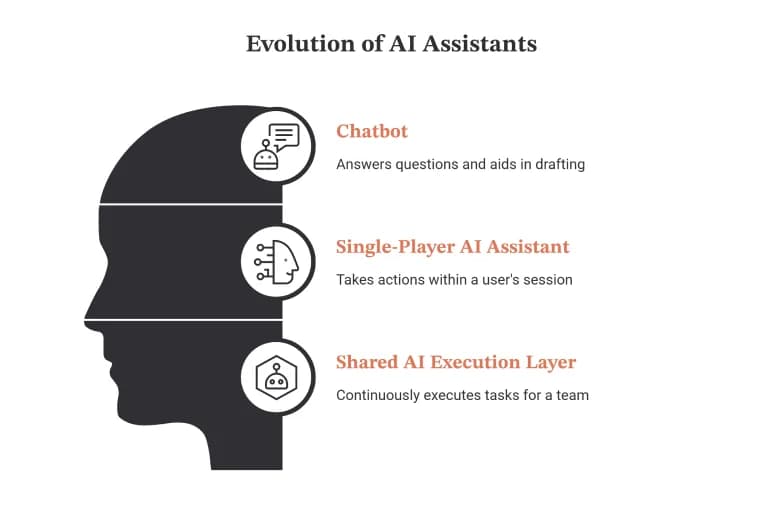
The important shift is that "AI assistant" now describes three different things, and conflating them is how people end up disappointed:
A chatbot answers questions. You type, it responds, you go do the work. Extremely useful for drafting and thinking but the loop never closes on its own.
A single player AI assistant takes action for you. It reads your inbox, checks your calendar, books the meeting. The catch: it runs in your session, for your account, and stops the moment you close the tab.
A shared AI execution layer takes action for a team, continuously. Agents run on schedules and triggers even when everyone's offline, every agent is grounded in shared company context, and a human signs off on anything sensitive before it happens.
Most roundups only cover the first two categories. That's fine if you're an individual knowledge worker. But if you're running a business function sales, support, ops, finance, HR the third category is where the real leverage is, because the bottleneck was never "how smart is the chat window." It was "who's going to actually execute all this, reliably, without me babysitting it."
That's exactly the gap Pushable is built for, which is why it tops this list for team use.
How we evaluated these AI assistants
We assessed each tool the way a working professional would actually judge it, not on benchmark scores:
- Does it close the loop? Answering a question is table stakes. We weighted whether the assistant can complete real, multi step tasks not just describe them.
- Integration and ecosystem fit. An assistant that can't reach your email, calendar, CRM, and docs is a very expensive notepad.
- Reliability and control. Especially for anything touching customers or money, we looked for guardrails: approvals, permissions, audit trails, and predictable behavior.
- Team readiness. Many tools shine for one user and collapse the moment a team needs shared context and shared control.
- Pricing sanity. We favored transparent pricing that doesn't quietly compound as usage grows.
A note in the spirit of honesty: "best" is contextual, and everything below is editorial judgment, not a promise. The right pick depends on your role, your stack, and whether you need thinking help or execution help. Verify current pricing and features before committing.
1. ChatGPT the best all round individual assistant
Best for: A versatile, general purpose assistant for one person.
ChatGPT is still the tool most people reach for first, and for good reason: it handles an enormous range of tasks with almost no setup. The latest models decide on their own whether a question needs an instant answer or deeper reasoning, voice mode makes it genuinely useful for hands busy moments, and agent style features let it execute some tasks in a controlled environment. Web search with reasoning has largely replaced the old ritual of opening fifteen tabs and forgetting why.
Limitations: Web search citations can be inconsistent, and vague prompts get vague answers. It's a phenomenal individual assistant but it isn't built to run shared, always on workflows for a team.
Pricing: Capable free tier; paid plans from roughly $20/month.
2. Claude the best AI assistant for reasoning, writing, and coding
Best for: Deep work long form writing, analysis, and technical tasks.
Claude has a reputation for writing that actually sounds human and for careful, structured reasoning. Its large context window makes it comfortable with long documents, Projects keep separate bodies of work from bleeding into each other, and Artifacts let it build something visual a dashboard, a calculator, a formatted report in a live panel beside the chat. For coding and multi step desktop tasks, it can read files, edit them, and work through jobs with real autonomy.
Limitations: Agentic tasks consume usage limits quickly, so heavy users climb tiers faster than expected, and some features arrive later than competitors'.
Pricing: Free plan; Pro from roughly $20/month.
3. Perplexity the best AI assistant for research
Best for: Finding, verifying, and synthesizing information fast.
Perplexity does one thing with unusual focus: research. Instead of a wall of links, you get a synthesized answer with every claim traced back to a source which matters enormously when you've been burned by a confidently fabricated statistic. Deeper modes produce genuine research deliverables, and a multi model approach lets you cross check several leading models on the same question and see where they agree.
Limitations: It's built for factual research more than creative work, and its credit system can catch heavy users off guard.
Pricing: Generous free tier; Pro from roughly $20/month.
4. Google Gemini the best AI assistant for Google Workspace
Best for: Teams and individuals who live in Gmail, Docs, and Drive.
If your work already happens inside Google, Gemini shows up exactly where you need it searching your email, pulling context from Drive, drafting inside Docs, and answering the small, pointed, everyday requests ("find that email from the CFO," "what's on my calendar tomorrow") that make up most assistant work. Its deep research and content generation features are strong, and it now reaches well beyond Workspace.
Limitations: Step outside Google's ecosystem and it starts to feel like a standard chatbot; response quality can vary.
Pricing: Free for basics; paid plans from roughly $20/month.
5. Microsoft Copilot the best AI assistant for Microsoft 365
Best for: Organizations built on Word, Excel, Outlook, and Teams.
For companies already standardized on Microsoft 365, Copilot fits into the workday because it lives inside the apps people already use. It captures Teams meetings into structured notes and action items, surfaces answers buried in old email threads, and moves content between Word, Excel, and PowerPoint without the copy paste shuffle.
Limitations: Pricing is genuinely confusing split across individual, business, and enterprise tiers with different billing rules and its value drops sharply outside the Microsoft ecosystem.
Pricing: Free basic tier; business plans from roughly $20/user/month, billed annually.
6. Motion the best AI assistant for scheduling and planning
Best for: People whose calendar and task list are constantly out of sync.
Motion takes your tasks, priorities, and deadlines and builds your actual schedule for you, then re plans automatically when a last minute meeting lands on top of your focus block. Its project view connects deadlines to real available hours, so teams stop promising work the calendar can't support, and its AI features (meeting notes, workflow building) have matured into the core of the product.
Limitations: There's a real setup curve vague inputs produce a busy looking but unrealistic schedule and it works best if you're willing to let it drive.
Pricing: From roughly $29/month.
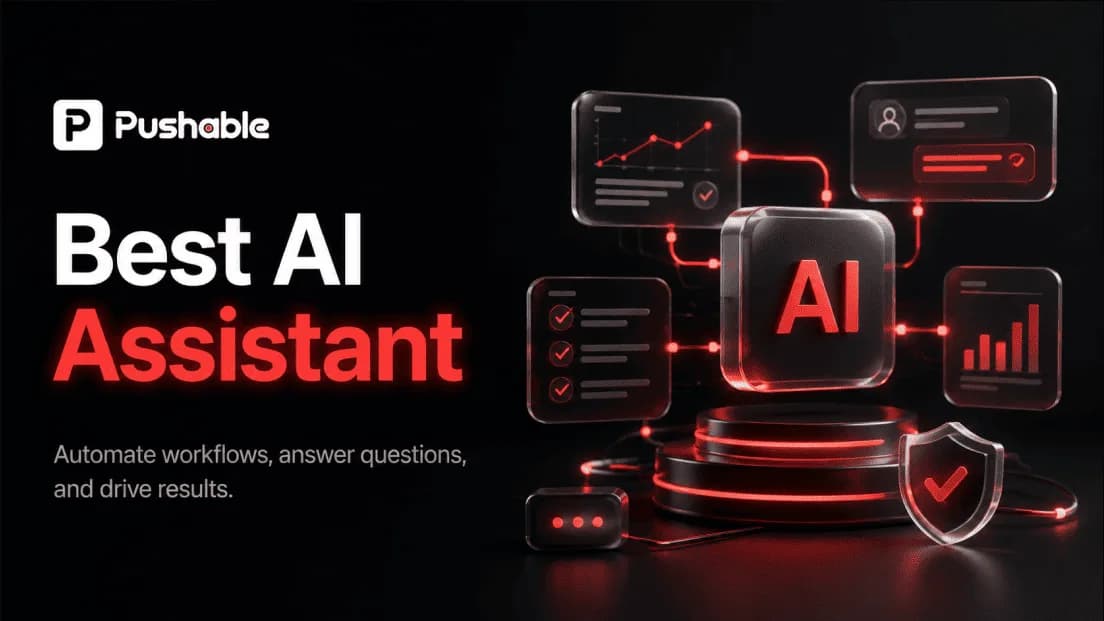
7. Pushable the best AI assistant for teams that want work done
Best for: Teams and businesses that want AI to execute real workflows, not just chat.
Pushable is the pick for the fastest growing use case in 2026: not "help me write this," but "run this part of my business." It's a shared AI workspace where a team deploys AI agents that carry out multi step workflows continuously with the whole team controlling one environment instead of everyone spinning up a separate, siloed AI account.
Here's what separates it from the single player assistants on this list:
- Team native by default. One workspace with shared memory, files, databases, and role based permissions. Every agent is grounded in your actual business context instead of starting from a blank chat every time. You decide who can view, act, and approve.
- Always on, not session bound. Agents run in the cloud on schedules and event triggers a new lead arrives, an invoice lands, a form gets filled and they keep working even when nobody has the app open. Most assistants stop the instant you close the tab; Pushable doesn't.
- Human in the loop control. This is the feature that makes AI safe enough for real operations. Approval gates pause an agent mid task, and your team gets a notification (including on Telegram) to approve or reject in one tap before anything reaches a customer or moves money. Automation without the "what did it just do?" anxiety.
- 100+ native integrations, plus custom connectors. Gmail, Slack, HubSpot, Salesforce, Notion, Stripe, Shopify, Google Sheets, Airtable, Jira, and more connect in a click, so agents can read from and write to the systems your team already runs on.
- Pay for results, not seats. Pushable uses a credit model credits are spent when an agent actually completes a task (a message sent, a report filed, a workflow triggered), not for merely having the app open, and not per headcount. The bill doesn't balloon as your team grows.
In practice, that means a Pushable agent can qualify and route inbound leads and draft the first follow up, reconcile invoices and chase overdue payments, triage support tickets and draft on brand replies, onboard new hires end to end, or pull a weekly report on schedule while a human stays in control of the moments that matter.
Where it fits vs. doesn't: If you want the single best tool for polishing your own prose or thinking through a personal essay, a chat assistant like Claude or ChatGPT is the better companion. Pushable's strength is different and, for teams, more valuable: turning AI into a governed, always on execution layer for the whole organization.
Pricing: A free plan (200 credits/month) to try agents with no commitment; Starter from $27/mo; Pro at $97/mo for teams building serious workflows; Enterprise with custom credits, SSO, and SLAs. -
Start automating free at pushable.ai
8. Reclaim the best AI assistant for protecting focus time
Best for: Defending deep work and habits from a crowded calendar.
Reclaim treats your habits and focus time like real commitments, scheduling them alongside meetings and flexing them intelligently when conflicts arise. Lock a morning workout in place, let a learning block slide when something urgent lands, and connect your task manager so critical work automatically claims calendar time before anything else can.
Limitations: It supports Google and Outlook calendars only (no Apple Calendar), and it's a scheduling layer, not a full workflow or project tool.
Pricing: Free plan; paid from roughly $10/user/month.
How to choose the best AI assistant for your needs
The honest answer is that most teams end up using two: a thinking assistant and a doing assistant. Here's how to decide:
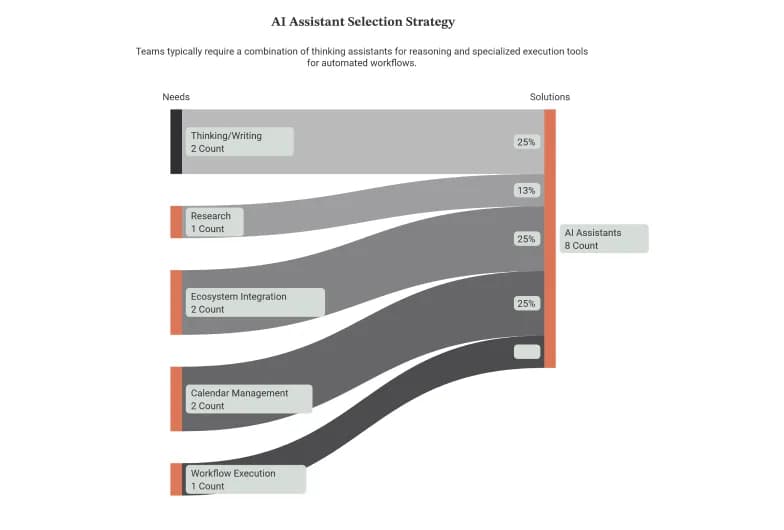
- You mostly need help thinking and writing - Claude for nuanced writing and reasoning, ChatGPT for everyday versatility.
- Research is core to your job - Perplexity, for cited, verifiable answers.
- You live inside Google or Microsoft - Gemini or Copilot, respectively.
- Your calendar is the problem - Motion to plan your day, Reclaim to defend it.
- You want AI to actually run workflows for your team - Pushable, the shared, always on execution layer with human approval built in.
The mistake to avoid: buying a single player chatbot and expecting it to run your operations. A chat window can draft the follow up. It can't own the whole pipeline qualifying the lead, updating the CRM, sending the sequence, flagging the exceptions for a human on a schedule, for your entire team, without someone driving it manually. That's a different category of tool.
Why teams are moving from AI chatbots to a shared AI workspace
The pattern we saw again and again in 2026: a team adopts a great individual AI assistant, everyone gets a productivity bump, and then it plateaus. Because the assistant lives in each person's private session, the team's work its context, its approvals, its recurring processes has no home. Knowledge stays trapped in individual chats. Automations stop when the laptop closes. And nobody trusts the AI to touch anything important because there's no way to require a sign off.
Pushable was built to solve exactly that:
- Shared context so every agent knows your business instead of starting cold.
- Continuous execution so work happens on schedule, not just when someone's watching.
- Approval gates so a human stays in control of every consequential action.
- Credit based pricing so cost tracks results, not headcount.
It's the difference between giving each employee a smarter tool and giving your whole team a reliable, governed AI workforce. For a growing number of sales, support, ops, finance, and HR teams, that's what "the best AI assistant" now means.
See how Pushable works start free at pushable.ai -
This roundup reflects our editorial assessment based on public product information and hands on evaluation criteria; it is not a guarantee of results, and it isn't sponsored by the tools listed apart from our own product, Pushable. Features and pricing change frequently verify current details on each vendor's site before purchasing.