How to Build an Automated Lead Follow-Up System That Actually Converts
Answer first
An automated lead follow-up system is a set of connected tools and rules that captures every new lead, contacts them within minutes, and keeps following up across email, SMS, and calls until they respond or the sequence ends - without a rep having to remember to do it. Done well, it fixes the single most expensive leak in most sales operations: leads that go cold because no one followed up fast enough or often enough.
On this page
- What is an automated lead follow-up system?
- Why follow-up speed and consistency decide the outcome
- The core components of the system
- How to build an automated lead follow-up system, step by step
- Designing a multi-channel follow-up sequence
- Personalization without losing the human touch
- Choosing your tools
- The metrics that tell you it's working
- Common mistakes to avoid
- Frequently asked questions
- Putting it into practice
This guide walks through what such a system actually contains, why speed and consistency matter more than clever copy, how to build one step by step, and how to measure whether it's working. It's written for founders, sales leaders, and marketers who own the pipeline and are tired of leads slipping through the cracks.
What is an automated lead follow-up system?
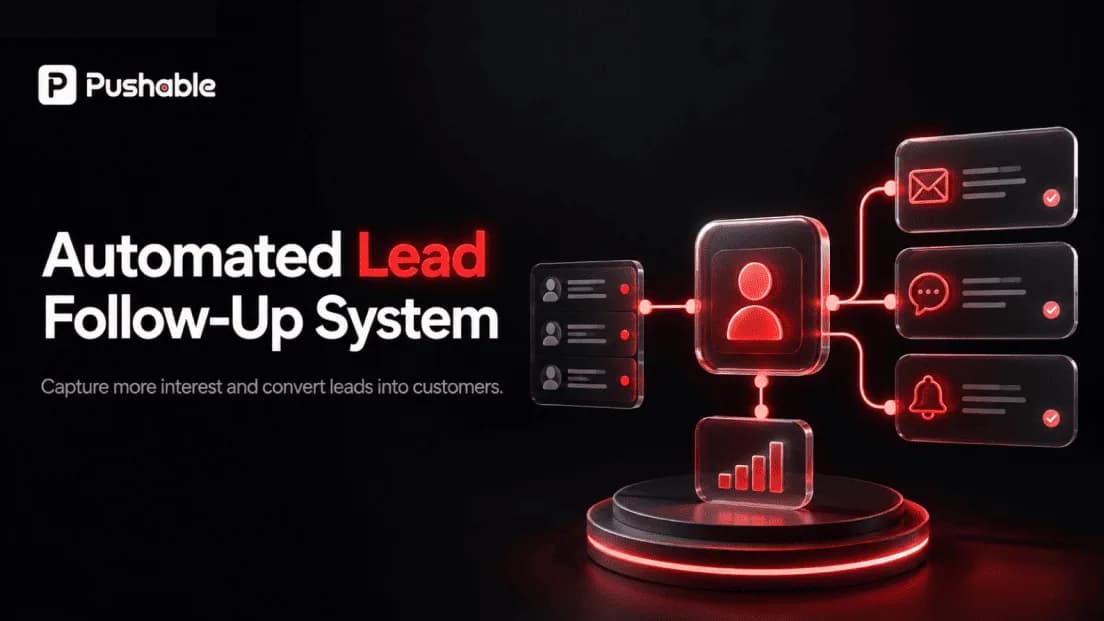
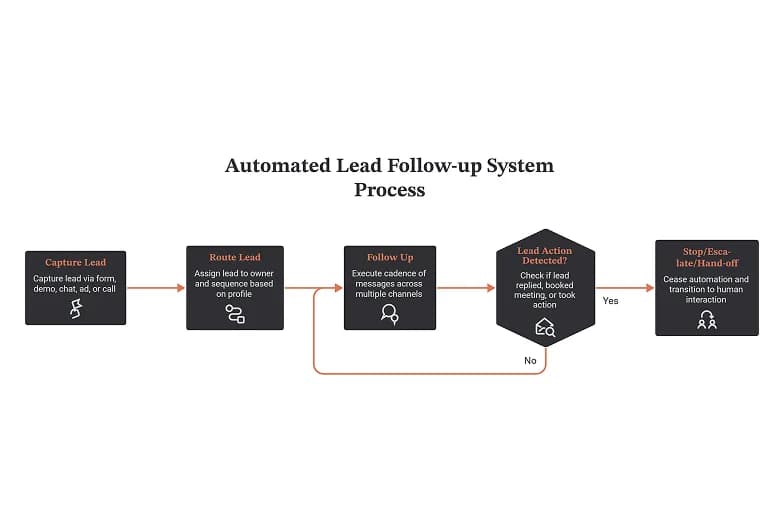
At its simplest, an automated lead follow-up system does four things on autopilot:
- Captures a lead the moment they raise their hand (form fill, demo request, chat, ad, phone call).
- Routes that lead to the right owner and the right sequence based on who they are and what they did.
- Follows up through a pre-built cadence of messages across multiple channels, triggered by time and by behavior.
- Stops, escalates, or hands off the instant the lead replies, books a meeting, or takes a meaningful action.
The point is not to remove humans from selling. It's to remove the administrative part of follow-up - the remembering, the timing, the "did anyone reach out to this person?" - so your team spends its energy on live conversations instead of chasing.
A useful way to think about it: manual follow-up depends on discipline; an automated system depends on design. Discipline fails under load. Design doesn't.
Why follow-up speed and consistency decide the outcome
Two research findings have shaped how serious teams approach this, and both are worth knowing because they explain why automation pays off - it's not about sending more email, it's about timing.
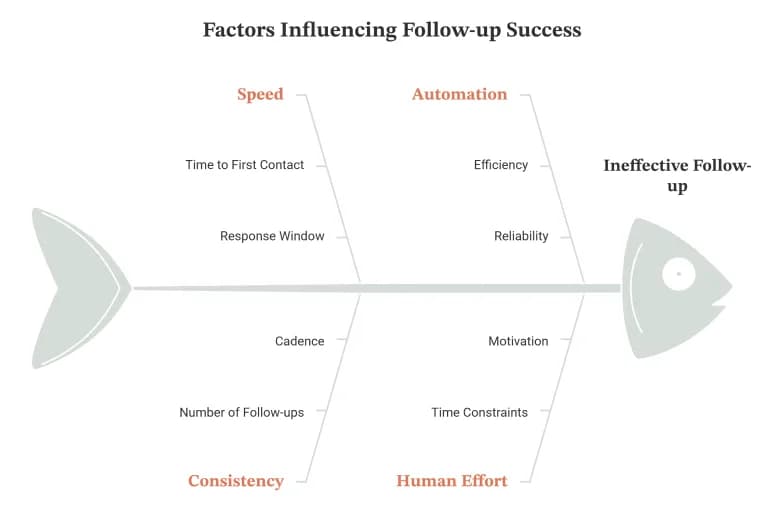
Speed to first contact is decisive. The widely cited Lead Response Management study led by Prof. James Oldroyd found that the odds of qualifying a web lead drop sharply the longer you wait - contacting within the first few minutes vastly outperforms waiting even half an hour. The follow-up Harvard Business Review analysis, "The Short Life of Online Sales Leads" (Oldroyd, Elkington & Findley, 2011), reported that firms that tried to reach a lead within an hour were roughly seven times more likely to have a meaningful conversation with a decision-maker than those who waited an hour longer - and dramatically more likely than those who waited a day.
No human team reliably hits a five-minute response window across nights, weekends, and busy stretches. A system does.
Persistence matters as much as speed. Most leads don't convert on the first touch. Deals - especially in B2B - typically require several follow-ups before a prospect engages, yet a large share of reps stop after one or two attempts. The gap between "gave up after two emails" and "ran a structured seven-touch cadence" is where a lot of pipeline is quietly lost. Automation closes that gap by making the fifth and sixth touch as effortless as the first.
The uncomfortable truth: most teams don't lose leads to competitors. They lose them to their own inbox.
The core components of the system
A complete system has six moving parts. You don't need every one on day one, but you should know where each fits.
Component | Job | Common tools |
|---|---|---|
Lead capture | Collect leads from every source into one place | Web forms, chatbots, landing pages, call tracking, ad lead forms |
CRM / system of record | Store the lead, its status, and its full history | HubSpot, Pipedrive, Salesforce, Keap, monday CRM |
Routing & assignment | Send each lead to the right owner and sequence | CRM workflow rules, round-robin assignment |
Sequencing engine | Run the multi-step, multi-channel cadence | Marketing automation or sales-engagement tools |
Channels | Actually deliver the messages | Email, SMS, phone/dialer, LinkedIn, WhatsApp |
Triggers & scoring | Decide when to act and when to stop | Behavior triggers, lead scoring, reply detection |
The magic isn't in any single tool - it's in how they're wired together so a form fill at 11 p.m. produces a personalized reply, a task for a rep, and a scheduled sequence, all before anyone logs in the next morning.
How to build an automated lead follow-up system, step by step
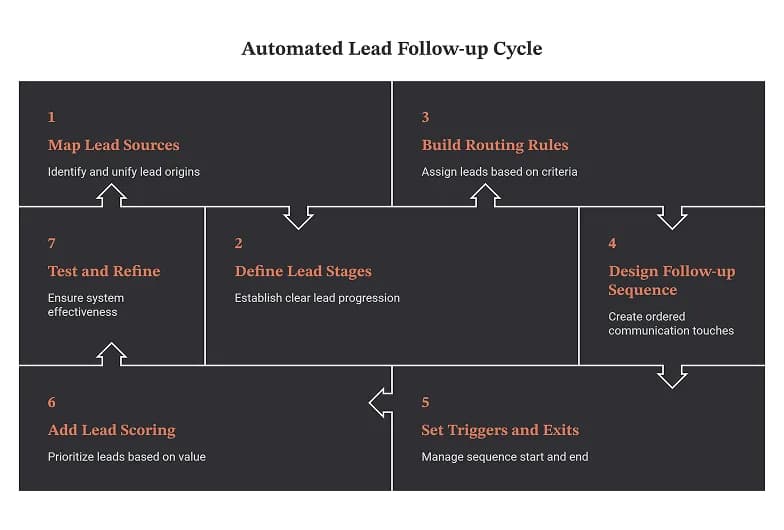
Step 1 - Map your lead sources and unify them
List every place a lead can come from: website forms, live chat, paid ad lead forms, inbound calls, event lists, referrals. The first rule of automation is one front door : every source should flow into the same CRM with a tag identifying where it came from. If leads live in five disconnected tools, no automation can see them all, and follow-up stays manual by default.
Step 2 - Define your lead stages and what "qualified" means
Automation needs unambiguous states to act on. At minimum, define stages like: New → Contacted → Engaged → Qualified → Meeting Booked → Won/Lost. Write down the concrete criteria that move a lead from one stage to the next. Vague stages produce vague automations that fire at the wrong time.
Step 3 - Build routing rules
Decide who owns each lead and how they're assigned - by territory, product interest, deal size, or simple round-robin. Assignment should be instant and logged, so there's never a lead sitting unassigned. Route high-intent actions (a demo request, a pricing-page visit) to a faster, higher-touch path than low-intent ones (an ebook download).
Step 4 - Design the follow-up sequence
This is the heart of the system. A sequence is an ordered set of touches spaced over days, mixing channels, each with a clear purpose. Design it around the lead's likely questions and objections, not around your desire to "check in." (Full example cadence below.)
Step 5 - Set your triggers and exit conditions
Triggers start and branch the sequence; exit conditions are what separate a helpful system from a spam machine. The moment a lead replies, books a meeting, or unsubscribes, the automated sequence must stop and - where relevant - hand off to a human. Nothing damages trust faster than a prospect who has already booked a call still receiving "just following up, did you get my message?" emails.
Step 6 - Add lead scoring (optional but powerful)
Score leads on fit (do they match your ideal customer?) and engagement (are they opening, clicking, visiting?). Use the score to prioritize rep time and to decide who gets a phone call versus who stays in a nurture track. Start simple; a two-factor score beats no score.
Step 7 - Test, then turn it on for real traffic
Run test leads through the whole flow. Check timing, personalization tokens, deliverability, reply detection, and hand-offs. Watch the first week of real leads closely, then refine.
Designing a multi-channel follow-up sequence
A good cadence is persistent without being annoying, and multi-channel without being scattered. Here's a proven seven-touch structure for a typical inbound B2B lead. Treat it as a starting template, not gospel - adjust spacing and channels to your audience and sales cycle.
Day | Channel | Purpose of the touch |
|---|---|---|
0 (within minutes) | Email + optional SMS | Instant acknowledgment; confirm you received their request and set expectations |
0–1 | Phone call | The highest-value touch - attempt a real conversation while intent is hot |
2 | Deliver value: answer the likely first question, share a relevant resource | |
4 | Phone call + voicemail | Second call attempt; leave a short, specific voicemail |
6 | Address a common objection or show a relevant proof point | |
9 | SMS or LinkedIn | A brief, low-pressure nudge on a different channel |
12 | Email ("break-up") | Signal you'll stop reaching out; give an easy way to re-engage later |
A few design principles that matter more than the exact schedule:
- Front-load the effort. The first hour and first two days carry most of the value. Never let the fastest, highest-intent moment be handled slowly.
- Vary the channel. People ignore email but answer texts, or vice versa. Reaching across channels catches attention without repeating the same tired "checking in."
- Give every touch a reason to exist. Each message should deliver a piece of value, ask a real question, or move the conversation forward. "Just following up" is not a reason.
- Always include an exit. The break-up message often gets the most replies - it removes pressure and prompts a decision.
Personalization without losing the human touch
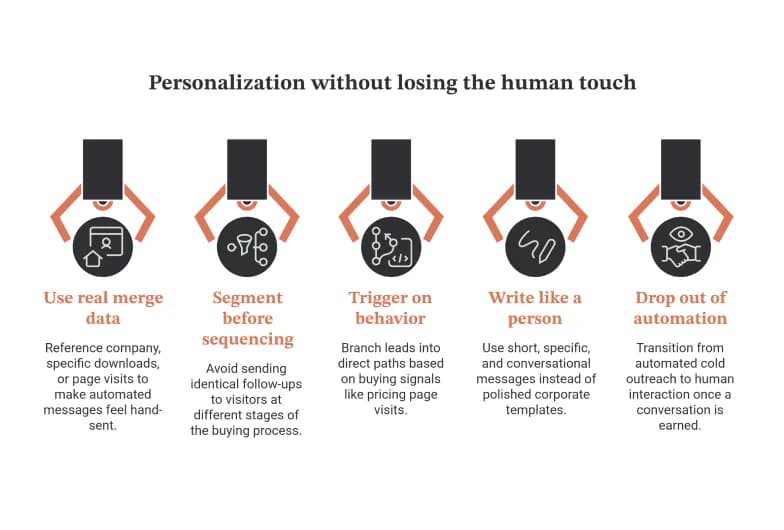
The biggest risk of automation is sounding automated. The fix isn't writing every message by hand - it's building personalization into the system:
- Use real merge data, not just a first name: reference their company, the specific thing they downloaded, or the page they were on. Systems that pull this from the CRM make every "automated" message feel hand-sent.
- Segment before you sequence. A pricing-page visitor and an ebook downloader are at completely different stages. Sending them the same follow-up guarantees at least one of them gets the wrong message.
- Trigger on behavior, not just time. If a lead visits your pricing page mid-sequence, that's a buying signal - branch them into a faster, more direct path and alert a human.
- Write like a person. Short, specific, conversational messages outperform polished corporate templates. The goal is that a prospect can't tell whether a human or a system sent it - because the content is genuinely relevant either way.
- Know when to drop out of automation. The system's job is to earn the conversation. Once you have it, a human should take over. Automation for the cold phase, humans for the warm phase.
Choosing your tools
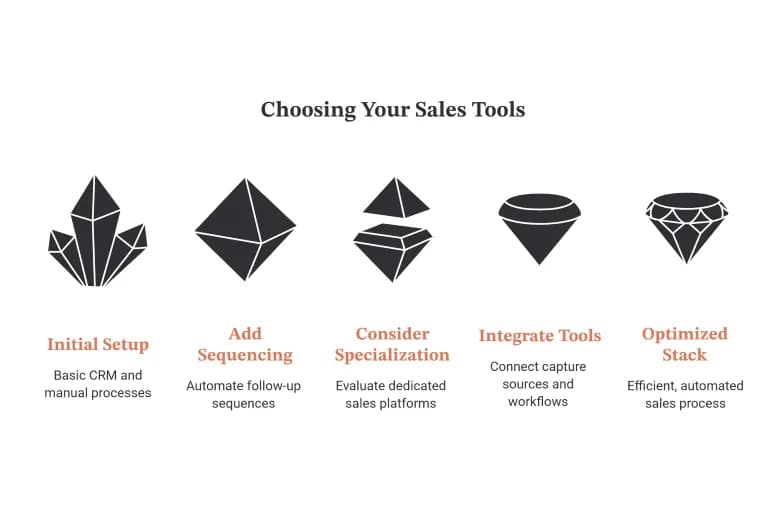
There's no single "best" tool - the right stack depends on your motion (self-serve vs. sales-led), volume, and budget. It helps to think in categories rather than brands:
- All-in-one CRM + automation (e.g., HubSpot, Keap, monday CRM, Zoho): best when you want capture, CRM, and sequencing in one system with less integration work. Strong fit for small and mid-sized teams.
- Sales-first CRM with sequencing (e.g., Pipedrive, Close): built around the rep's workflow, good for call-heavy, sales-led motions.
- Dedicated sales-engagement platforms (e.g., Outreach, Salesloft, Apollo): heavy-duty multi-channel cadence tools for larger outbound teams, sitting on top of a CRM like Salesforce.
- Marketing automation (e.g., Marketo, ActiveCampaign): strongest for high-volume nurture and behavior-based email/SMS flows.
- Glue and workflow tools (e.g., Zapier, Make, native workflow builders): connect capture sources to your CRM and trigger cross-tool actions.
Practical advice: don't buy the most powerful tool; buy the one your team will actually configure and use. A simple system that runs beats a sophisticated one that sits half-built. Start with the CRM you already have, add sequencing, and only graduate to specialized platforms when volume demands it.
The metrics that tell you it's working
If you can't measure it, you can't improve it. Track these from day one:
Metric | What it tells you | Why it matters |
|---|---|---|
Speed to first contact | Median time from lead-in to first outreach | The strongest predictor of conversion; aim for minutes, not hours |
Follow-up completion rate | % of leads that receive the full sequence | Reveals whether automation is actually running end to end |
Reply / engagement rate | % of leads who respond per touch and per channel | Shows which messages and channels earn conversations |
Lead-to-meeting rate | % of leads that become booked meetings | The clearest signal of pipeline impact |
Time-in-stage | How long leads sit before moving | Surfaces bottlenecks and stalled hand-offs |
Sequence drop-off point | Where leads go cold | Tells you which touch to rewrite or remove |
Review these monthly. The single highest-leverage number is usually speed to first contact - improving it is often the fastest way to lift conversion without touching anything else.
Common mistakes to avoid
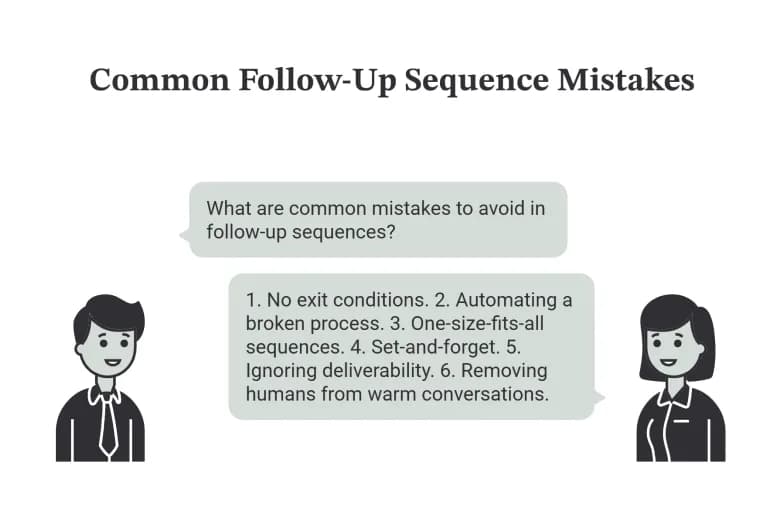
- No exit conditions. Sequences that keep firing after a lead replies or books read as careless and burn trust. Build "stop" rules before you build "send" rules.
- Automating a broken process. Automation amplifies whatever you already have. If your qualification or messaging is weak, you'll just send bad follow-up faster. Fix the process first.
- One-size-fits-all sequences. Sending identical follow-up to every lead regardless of source or intent guarantees irrelevance for most of them.
- Set-and-forget. A follow-up system isn't a one-time build. Reply rates decay, deliverability shifts, messaging goes stale. Treat it as something you tune, not something you finish.
- Ignoring deliverability. The best sequence is worthless if it lands in spam. Warm up sending domains, keep lists clean, and honor unsubscribes rigorously.
- Removing humans from warm conversations. Automate the chase, not the close.
Putting it into practice
An automated lead follow-up system isn't a product you buy - it's a process you design and then let software enforce. The teams that win at it don't have the fanciest tools; they have the clearest rules: contact fast, follow up consistently, personalize with real data, and hand off to a human the moment there's a conversation to be had.
Start small. Wire your lead sources into one CRM, build a single seven-touch sequence for your best lead source, add proper exit conditions, and measure your speed to first contact. Once that one flow is reliably converting, expand it. A system that runs beats a plan that doesn't - and every hour a lead sits un-contacted is an hour your competitor might be answering their question first.
A quick note on E-E-A-T: before publishing, add a real author byline and short bio establishing why you or your team can speak to this topic (relevant experience, results, or credentials), a visible publish/updated date, and links to any first-hand data, case studies, or screenshots you can share. Original examples and proprietary results are the strongest way to demonstrate genuine experience and stand out in both traditional search and AI-generated answers.
Sources referenced: Oldroyd, J. - Lead Response Management study; Oldroyd, Elkington & Findley, "The Short Life of Online Sales Leads," Harvard Business Review (2011).